Document automation turns a PDF, image or email into structured data another application can use. AI can interpret variable formats, but the flow also needs rules, controls and a clear destination for exceptions.
A polished demo rarely includes duplicate attachments, missing pages, ambiguous amounts or new suppliers. The operational system must expose these cases and preserve the source of every field.
Our example of application prepares incoming emailed invoices for registration. The same design can be adapted to applications, delivery notes or case-file documents with process-specific rules.
Reading, classification and extraction are different tasks
OCR recognises characters in an image. Classification suggests the document type. Extraction assigns values to fields. Validation checks them against rules and context. Accuracy at one stage does not ensure accuracy at the next.
| Stage | Question | Error carried forward |
|---|---|---|
| Reading | What text is on the page? | Wrong digit or lost column |
| Classification | Invoice, credit note, order or other? | Wrong extraction schema |
| Extraction | Which value belongs to each field? | Due date used as issue date |
| Validation | Is the record coherent and usable? | Correct total for the wrong supplier |
A digital PDF may already contain text, but its reading order can still be wrong. A structured electronic invoice may allow direct integration. Do not rasterise reliable structured data just to reinterpret it with a model.
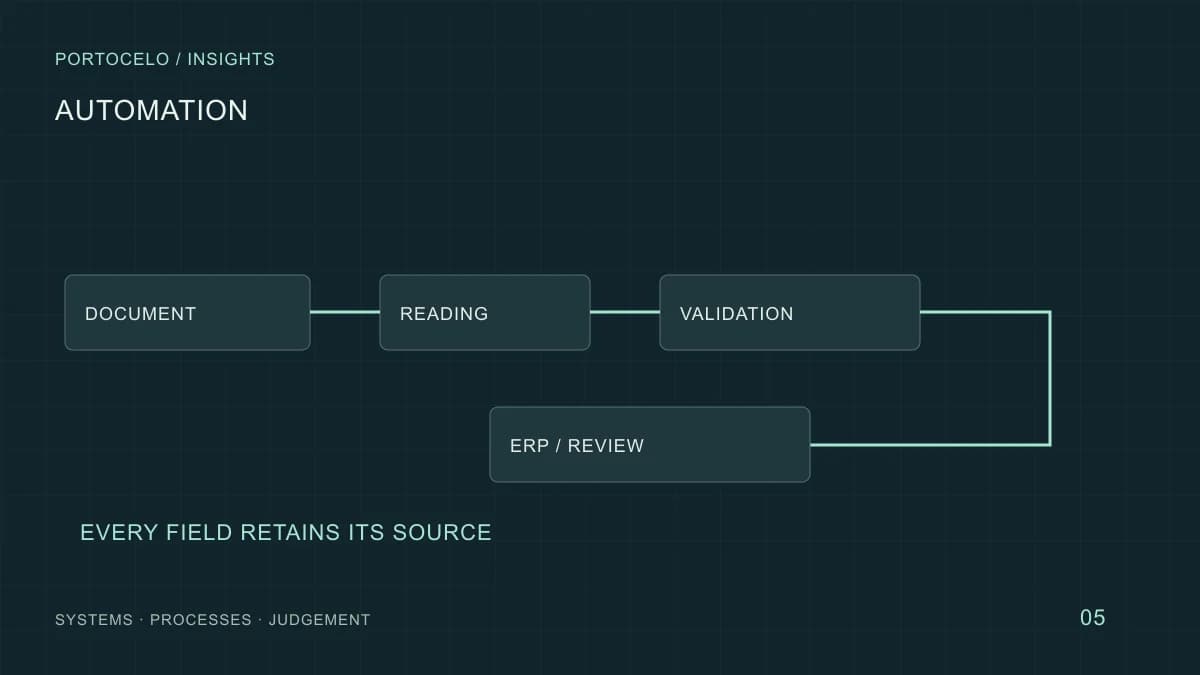
A complete flow from email to review queue
Keep the original, prepare fields and separate validated drafts from cases needing a person.
- Email and attachment
Identify origin and check the file.
- Document
Keep a stable reference and detect duplicates.
- Reading
Extract text or apply OCR where needed.
- Classification
Choose a schema or flag an unknown type.
- Extraction
Prepare fields with provenance.
- Validation
Apply rules and compare master data.
- ERP or review
Create an authorised draft or queue it for a reviewer.
Example of application. Reading an invoice does not authorise payment or a change of bank details.
Restrict file formats and size, and apply security controls. A document is untrusted input. Use message and attachment IDs to trace origin without copying unnecessary data across systems.
A hash finds identical files; supplier, invoice number and period can flag a resent invoice with a new filename. Review possible duplicates so legitimate documents are not silently blocked.
Define the output before choosing a model
The ERP needs a data contract: fields, types, required values and statuses. Valid JSON proves structure, not truth. An absent value should remain explicit, not become zero or today’s date.
{
  "document": "example-001",
  "type": "invoice",
  "number": null,
  "total": null,
  "status": "pending_review",
  "reasons": ["number_not_found"]
}
Keep page, region or passage for each proposed field so reviewers can inspect its evidence. Give each ERP operation a stable identifier; after a timeout, check whether the draft already exists before retrying. Otherwise a retry can duplicate records.
Business rules and model confidence
Validate formats, required fields, totals, currency, duplicates and matches to master data. A changed bank account or unknown supplier needs a specific review even if extraction confidence is high.
Microsoft’s documentation explains confidence scores in document systems. They are not universal guarantees or directly comparable across fields and models. Set thresholds from observed errors and the consequences of action.
Use deterministic calculations for totals and tax. The model may locate candidate fields; rules calculate and compare. Handle rounding differences explicitly rather than silently changing values.
Design review as part of the product
Group cases by reason: missing field, ambiguous supplier, possible duplicate or integration failure. Reviewers need to correct, reject or return a document to intake and understand each action’s effect.
Keep proportionate change history. Human corrections should not automatically become training data without a defined purpose and permissions. Monitor queue age and review capacity; rapid extraction is no gain if unresolved work accumulates.
Test difficult documents in the pilot
- Separate tuning material from evaluation samples.
- Include real formats, suppliers and languages, skewed pages, multiple attachments and missing fields.
- Measure field accuracy and critical document errors, not only an average.
- Count review time, retries, duplicates and lost records.
- Test ERP outages, revoked permissions and new formats.
Acceptance criteria should match risk. Start alongside the existing process without creating final records, then expand permissions after evaluation. A parser for a common format or a better scan may help more than a larger model.
What to prepare for an assessment
A process map, document types, destination fields and a list of exceptions are enough for an initial discussion. Agree a secure channel before sharing real confidential samples; do not put them into a public contact form.
The ten-process guide compares other opportunities. If your main problem is finding answers in filed documents, read the RAG guide. Our document intelligence service addresses the integration.
From knowledge to a working process
From a document to usable data.
We can examine inputs, fields, validation and exception handling before connecting the flow to your ERP.
Discuss your documents ↗